

Two Misconfigurations That Undo Your DDoS Protection


Most DDoS protection failures aren’t caused by a missing product. They’re caused by a product that’s already deployed but misconfigured.
In our testing experience, the gap between “protection is deployed” and “protection works effectively” almost always goes back to configuration – not architecture, and many times, not even the vendor selection. And misconfigurations don’t fail in just one direction. Some quietly let attack traffic through. Others turn the protection itself into the outage, blocking or degrading legitimate users’ experience as aggressively as an attack would.
This post walks through both failure modes, why each one is easy to introduce and hard to notice, and how to catch them before an attacker – or your own configuration – does.
Key Takeaways
- DDoS misconfigurations fail in two opposite directions: under-mitigation, where attack traffic passes through, and over-mitigation, where the protection itself disrupts legitimate service.
- Under-mitigation is usually a scope problem – a rule, endpoint, or protocol that was never actually covered by the policy the dashboard implies.
- Over-mitigation is a self-inflicted denial of service. The business impact can look identical to a real attack, except that the security team caused it.
- Both failure modes tend to be invisible until tested, because dashboards show configuration intent, not runtime behavior.
- Regular validation – not just initial setup – is the only reliable way to catch either type before attackers or customers do.
Why Misconfiguration Is the Default State, Not the Exception
DDoS protection is almost never configured once and left alone. Architecture changes, new services are introduced, WAF rules are fine-tuned during an incident, and are never revisited. Each of these changes is individually reasonable, but the protection posture is the sum of all of them, and nobody owns verifying that sum.
That’s the core problem: a rule set that was correct on the day it was written degrades quietly as the environment around it and the threat landscape change. The dashboard still shows the policy as active. It just no longer matches reality.
Type 1: Misconfigurations That Let Attack Vectors Through
This is the failure mode most people picture when they think about DDoS gaps – the protection is there, but it doesn’t actually mitigate the attack.
Incomplete Scope Coverage
A protection policy is often configured against a subset of what’s actually exposed. A new API endpoint, a staging environment left reachable from the internet, a secondary domain, or an IPv6 range that was never onboarded to the Scrubbing Center protection can all sit outside the policy’s scope while looking, from the outside, like part of the same protected surface.
Origin Exposure Behind the CDN & Cloud WAF
If the origin server’s real IP address is exposed and discoverable – through historical DNS records, SPF includes, or misconfigured subdomains – an attacker can bypass the CDN and Cloud WAF layer entirely and target the origin directly. In that scenario, every rule configured at the edge is irrelevant, because the traffic never passes through it.
See this post, explaining origin server attacks.
Rules Scoped Too Narrowly
A rate-limit or WAF rule applied to /login doesn’t help if the same authentication logic is also reachable through /api/v1/auth or a legacy endpoint nobody remembered to deprecate. Attackers don’t need to break a rule; they just need to find a path the rule doesn’t cover.
Distributed Counting Blind Spots
Rate-limit thresholds are often assumed to apply globally, but many cloud WAF and CDN platforms count requests per edge location or per point of presence rather than in aggregate. A limit of 12 requests per second can be trivially exceeded in total volume while never being exceeded at any single enforcement point. We’ve written about this specific rate limiting failure mode in this post.
Aggregation Interval Set Too Short
The aggregation interval – the window over which the rule counts requests before comparing against the threshold – is a separate decision from the threshold itself, and it’s easy to get wrong in a way that quietly raises the effective rate an attacker can sustain.
Real traffic isn’t flat. Many sites see a sharp burst of requests the moment a client arrives – loading a full page’s worth of assets, calling several APIs on first render – before settling into a much lower steady-state rate. A short aggregation interval (say, 10 seconds) captures that initial burst almost undiluted, so the threshold has to be set high enough to absorb it without generating false positives on ordinary page loads. A longer interval (say, 60 seconds) smooths the same burst out over more time, so the average RPS it produces is lower, and the threshold can be set tighter without misfiring on legitimate traffic.
The security consequence: a rule tuned for a 10-second window typically ends up calibrated against a much higher peak RPS than the same rule tuned for a 60-second window, purely to accommodate normal burst behavior. An attacker sending sustained traffic below that inflated threshold – but well above what the site actually needs in steady state – passes through a short-interval rule that a longer-interval rule, calibrated against the true average, would have caught. The interval isn’t just a technical detail; it directly sets how much attack traffic the rule is willing to tolerate before it reacts.
Stale Allowlists
IP or ASN allowlists created for a legitimate purpose – a monitoring vendor, a partner integration, an internal tool – become permanent blind spots if nobody revisits them. An allowlisted range that’s no longer in active use, or one broad enough to include unrelated infrastructure, is an unmonitored bypass.
Type 2: Misconfigurations That Cause False Positives and Self-Inflicted Denial of Service
This failure mode gets less attention, but the business impact can be just as severe – sometimes worse, because the organization is the one holding the smoking gun.
Thresholds Set for the Attack, Not the Traffic Pattern
Rate limits and anomaly thresholds are sometimes configured against a worst-case attack scenario without validating them against real traffic peaks – flash sales, marketing campaigns, mobile app retry behavior, or legitimate bursts from shared corporate NAT ranges. When the threshold is lower than genuine peak demand, the protection blocks your business’s own customers during exactly the moments that matter most.
Overly Aggressive Bot or Challenge Rules
JavaScript challenges, CAPTCHAs, and behavioral bot scoring are effective, but they assume a browser-like client. API integrations, mobile app backends, monitoring tools, and partner systems often can’t complete a browser challenge. If those rules apply broadly instead of being scoped to browser traffic, legitimate machine-to-machine traffic gets blocked outright.
Rate Limits Incremented on the Destination
This is, in our field experience, the single most common way a rate-limit rule turns into a self-inflicted outage – and it’s worth spelling out because it looks correct right up until it isn’t.
A scope (which requests the rule applies to, e.g. a specific URL or the whole site) and an incrementor (what the counter is keyed on, e.g. per source IP or per fingerprint) are two independent decisions. The failure happens when the incrementor is set to the destination itself rather than to a per-client attribute. The rule then counts every request to that URL against a single shared counter, no matter who sent it.
During normal operation, this looks fine because total traffic to the destination remains comfortably below the threshold and nothing fires. During a real attack, the shared counter fills almost entirely with attack traffic, and the rule blocks everything past the threshold indiscriminately – legitimate and malicious alike, with no way to tell them apart. At high attack volume, the overwhelming majority of blocked requests end up being real users, not attackers.
The rule did exactly what it was configured to do. The denial of service was technically executed by the protection stack itself. The fix is to keep the scope tied to the destination if that’s what needs protecting, but key the incrementor on a per-client attribute – source IP, a TLS fingerprint, or a combination – so each legitimate client is throttled independently instead of everyone sharing one counter. We go deeper on scope, incrementors, and threshold calibration in How to Configure Rate Limits for Effective DDoS Mitigation.
The Uncomfortable Overlap
Both failure types often come from the same root cause: a rule that was configured based on assumptions rather than validated against real traffic and real attack conditions. The direction of the failure – too permissive or too aggressive – often comes down to which side of the threshold someone guessed.
What Security Teams Should Do
1. Test Both Directions, Not Just One
Most organizations validate whether their protection blocks attacks. Few validate whether it also permits legitimate traffic under load. A resilience test should include both: does the attack get mitigated, and does normal traffic survive the mitigation?
2. Map Real Exposure, Not Assumed Exposure
Before trusting a policy’s scope, verify what’s actually internet-reachable – including secondary domains, legacy endpoints, and any path that could expose the origin directly. A policy can only protect what it knows about.
3. Validate Thresholds and Intervals Against Real Traffic Data
Pull actual peak traffic data – including seasonal spikes and edge-case legitimate bursts – before finalizing rate-limit thresholds. Check the aggregation interval alongside the threshold, not separately; the two are only meaningful together. A threshold set without this data is a guess, regardless of how confident it looks in the dashboard.
4. Check Every Rate-Limit Rule’s Incrementor, Not Just Its Threshold
A threshold means nothing without knowing what it’s counting against. Confirm each rule increments on a per-client attribute rather than the destination itself, especially on any rule protecting a high-traffic or business-critical endpoint.
5. Review Allowlists and Custom Rules on a Schedule
Treat allowlists and custom WAF rules as technical debt. If nobody can explain why a rule exists, it should be re-justified or removed.
6. Retest After Every Material Change
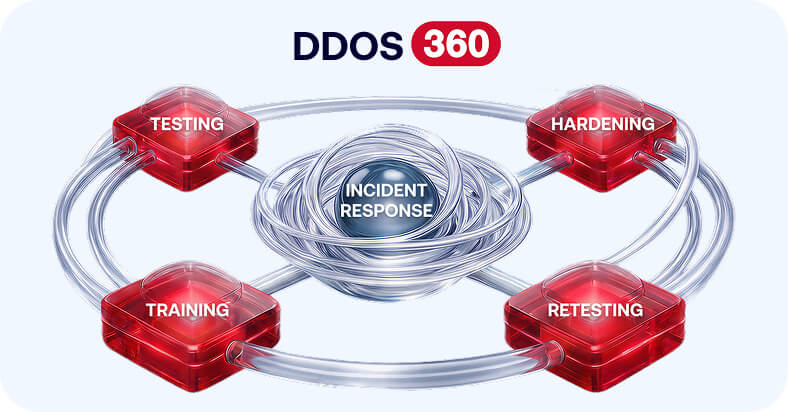
A new CDN reconfiguration, a WAF rule change, or a vendor migration is a reason to revalidate – not just for gaps that let attacks through, but for new false-positive risk introduced by the change itself. Red Button’s DDoS 360 service runs this kind of validation continuously.
Closing Thoughts
Misconfiguration doesn’t announce itself. A policy that’s under-scoped looks identical, on a dashboard, to one that’s correctly scoped – right up until an attacker finds the gap. A threshold that’s too aggressive looks identical to one that’s well-tuned – right up until a legitimate traffic spike gets treated like an attack.
The only way to know which one you actually have is to test it under realistic conditions, in both directions. Assumed protection and validated protection can look exactly the same on paper. They don’t look the same during an incident.
About the author