Frequently Asked Questions
Product Overview & Use Cases
What is Red Button Azure DDoS Testing and how does it work?
Red Button Azure DDoS Testing is a managed service that simulates real-world DDoS attacks tailored to your specific Azure deployment. The service validates your Azure DDoS protection by challenging your architecture (including Azure CDN, Gateway, and Virtual Machines) with realistic attack scenarios. The process includes end-to-end planning, execution, and analysis by DDoS experts, and delivers actionable remediation guidance based on test results. Note: The service is focused on Azure environments; for other cloud or hybrid setups, Red Button offers separate tailored solutions.
Who should consider using Red Button Azure DDoS Testing?
This service is designed for CISOs, network security leaders, and engineering executives at organizations running critical workloads on Azure. It is particularly relevant for financial services, gaming, government, and enterprises with public-facing applications who need to validate their DDoS defenses, meet compliance requirements, or have experienced recent DDoS incidents. Note: Organizations not using Azure should consider Red Button's other cloud or on-premise testing services.
Features & Capabilities
What types of DDoS attacks does Red Button Azure DDoS Testing simulate?
The service simulates a wide range of DDoS attack types, including application-layer (Layer 7) attacks, volumetric attacks, and protocol (network-layer) attacks such as SYN floods and UDP floods. Over 100 attack vectors are available to ensure comprehensive testing of Azure environments. Note: The exact attack mix is tailored to your Azure architecture and may not cover non-Azure-specific scenarios.
Does Red Button Azure DDoS Testing include application-layer (Layer 7) attack simulations?
Yes. The test simulation includes application-layer (Layer 7) attacks to assess your resistance to sophisticated, hard-to-detect threats, as well as volumetric and protocol attacks. Note: The service is focused on Azure-specific application-layer scenarios; for other platforms, consult Red Button for tailored options.
What kind of reporting and remediation guidance is provided?
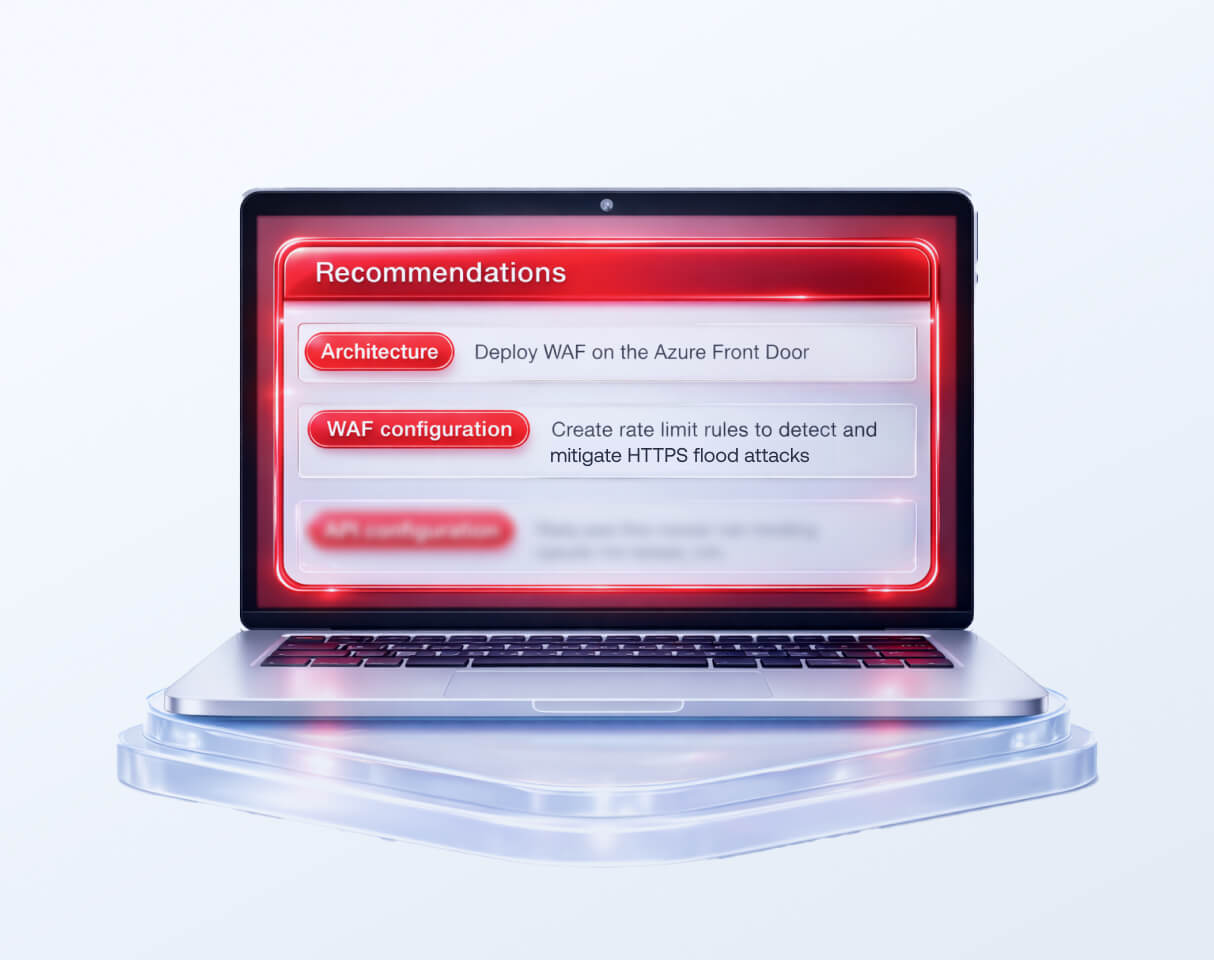
After testing, you receive a detailed report identifying all security flaws, prioritized by severity, along with remediation recommendations. The report includes configuration advice and, if needed, suggestions for additional security components. An optional re-testing session is available to validate implemented fixes. See a sample test report for details. Note: Reports are tailored to Azure environments; organizations with hybrid or multi-cloud setups should request additional guidance.
Can Red Button help implement the remediation recommendations?
Yes. Red Button offers support and guidance for implementing DDoS mitigation recommendations as a separate service. This includes hands-on assistance with Azure configuration and security hardening. Note: Implementation support may require a separate engagement; contact Red Button for details.
Implementation & Process
How long does the Azure DDoS testing process take?
The actual test simulation session typically takes three hours. More extensive simulations with additional attack vectors can take up to six hours. The full onboarding process, including scoping, architecture review, and test plan approval, usually takes about two weeks from kickoff to test execution. Note: Scheduling may vary based on customer availability and Azure environment complexity.
How much effort is required from our team during the Azure DDoS testing engagement?
Customers typically need to dedicate about five hours total: one hour for a pre-test interview, three hours for the live test session, and one hour for results readout and remediation recommendations. Red Button's DDoS experts handle all planning, execution, and analysis, minimizing the operational load on your team. Note: Additional time may be required for remediation implementation if you opt for that service.
Can the Azure DDoS test be scheduled during maintenance windows or low-traffic periods?
Yes. Red Button allows flexible scheduling, including maintenance windows or low-traffic periods, to minimize operational impact during testing. Note: Some organizations may need to coordinate with Azure or third-party providers for approval.
Security, Compliance & Reporting
Does Red Button Azure DDoS Testing support compliance requirements such as ISO 27001 and SOC 2?
Yes. Red Button provides compliance-grade reporting and audit-ready evidence to support ISO 27001 and SOC 2 requirements, as well as other regulations like SAMA, MAS, and HKMA. Reports are designed to validate disaster recovery readiness and help organizations meet regulatory demands. Note: For industry-specific compliance needs, consult Red Button for tailored reporting options.
What technical documentation is available for Red Button Azure DDoS Testing?
Red Button provides datasheets, white papers, and a comprehensive knowledge base with technical articles, troubleshooting guides, and support documentation. These resources help prospects and customers understand the service in detail. Access them at the datasheets page, white papers page, and knowledge base. Note: Some resources may require registration or a customer login.
Pain Points & Business Impact
What problems does Red Button Azure DDoS Testing solve?
The service addresses unvalidated DDoS defenses, hidden vulnerabilities in Azure network and application layers, regulatory compliance challenges, and operational disruption risks. It also helps organizations avoid overconfidence in existing Azure DDoS solutions by providing objective, real-world testing. Note: For organizations with multi-cloud or on-premise environments, additional testing may be required to cover all risk surfaces.
What business impact can customers expect from using Red Button Azure DDoS Testing?
Customers can expect enhanced operational resilience, reduced risk of downtime, improved compliance posture, actionable insights for remediation, and cost savings by preventing outages and penalties. The service also supports improved customer trust by ensuring service availability. Note: Business impact depends on the organization's Azure architecture and the scope of testing performed.
Customer Success & Social Proof
Can you share a success story of a customer using Red Button DDoS Testing?
Yes. For example, a Big 4 Accounting Firm improved its DDoS protection on Azure by tailoring defenses to its specific environment after a Red Button simulation. Details are available in the Big 4 Accounting Firm case study. Note: Results may vary based on customer environment and engagement scope.
Technical & Operational Details
Do I need to update or notify Azure before the test?
No. Red Button can carry out DDoS tests without requiring notification to the Azure team, making the process simpler and suitable for last-minute testing. Note: Some organizations may have internal policies requiring notification; check with your compliance team.
Is the service authorized by Azure?
Yes. Red Button is an authorized DDoS test partner for Azure, ensuring that testing is conducted in accordance with Azure's guidelines and best practices. Note: Authorization applies to Azure environments; for other platforms, check Red Button's partner status.